When the Queue Blocks
Goal of this page: lose the fear of [!]. A blocked task means Shipper has exhausted deterministic recovery and, when the failure was actionable from the repository root, one final assisted recovery attempt with repository-wide Git access.
What it looks like
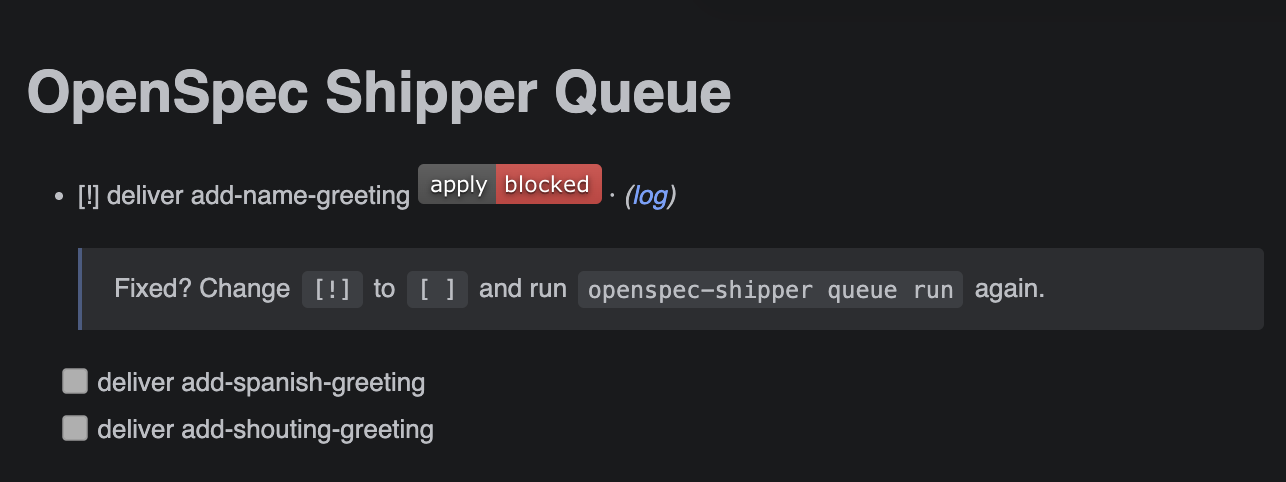
- [!] deliver add-name-greeting <!-- phase: push; reason: ...; log: runs/... -->
  > Fixed? Change `[!]` to `[ ]` and run `openspec-shipper queue run` again.
The simple case (most blocks)
For a PR waiting for merge, resolve the conflict or merge the PR and run queue status, queue dry-run, or queue run again. Shipper checks blocked PR waits and reactivates the task automatically once GitHub confirms the merge.
Other blocks need nothing more than flipping one character. For a transient network hiccup, a check that failed once, or a repository fix you applied:
- Change
[!]back to[ ]inqueue.md. - Run
npx openspec-shipper queue run.
That's the whole recovery. Shipper re-examines Git and GitHub evidence before retrying, so it resumes from the right phase automatically — you never need to figure out where it was.
The harder case
When the fix isn't obvious:
- Read the
reasonin the task's metadata comment — Shipper writes down why it stopped. - Follow the
loglink next to it for the full execution output. - Fix it yourself — or paste the reason and the log into your AI assistant and let it diagnose and solve the issue. The logs are written to be machine-readable for exactly this.
- Flip
[!]to[ ]and run the queue again.
The task log records Assisted recovery attempt and Assisted recovery result when that final attempt was eligible. Shipper never asks the model to repair a missing login, unavailable model, exhausted quota, missing repository root, disabled safety setting or pull request that still needs a human merge. A missing target worktree itself is recoverable when its unique work can be preserved or it can be recreated safely.
Common causes worth knowing
- A pull request is simply waiting for you to merge it (expected, not an error).
ghlost authentication or lacks access to the repo.- The installed Shipper assets were never committed and pushed to the base branch.
- The repository checks fail inside the implementation worktree.
- The executor CLI is missing, logged out, or misconfigured —
npx openspec-shipper doctorcatches these.
What's next
If a run looks stuck rather than explicitly blocked, or a newly published package does not seem to be installed, see Troubleshooting.
Now that running the queue holds no surprises, make it cheaper: Pick the right model for each job.